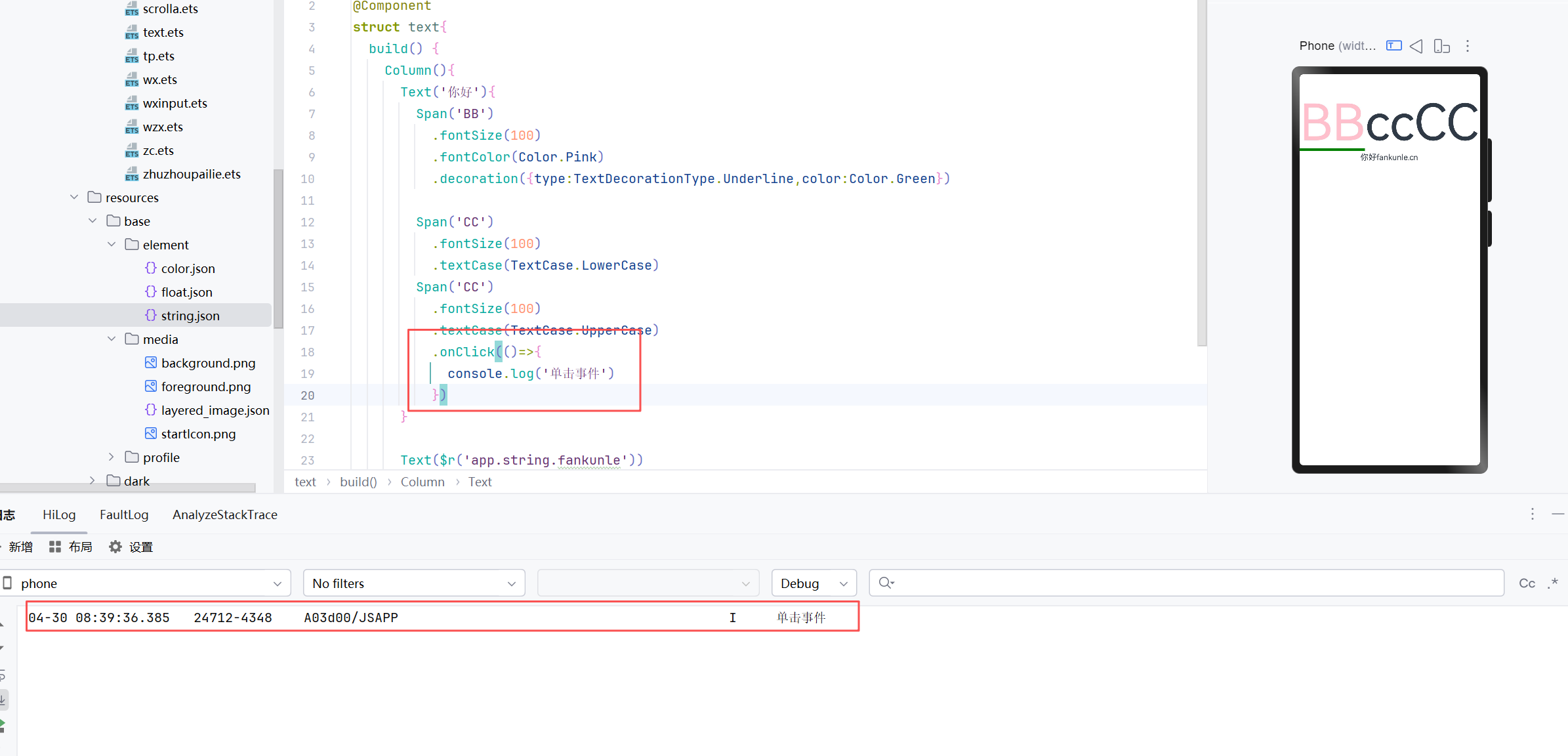
arkui-text文本
创建文本
Text('你好')Resources文本
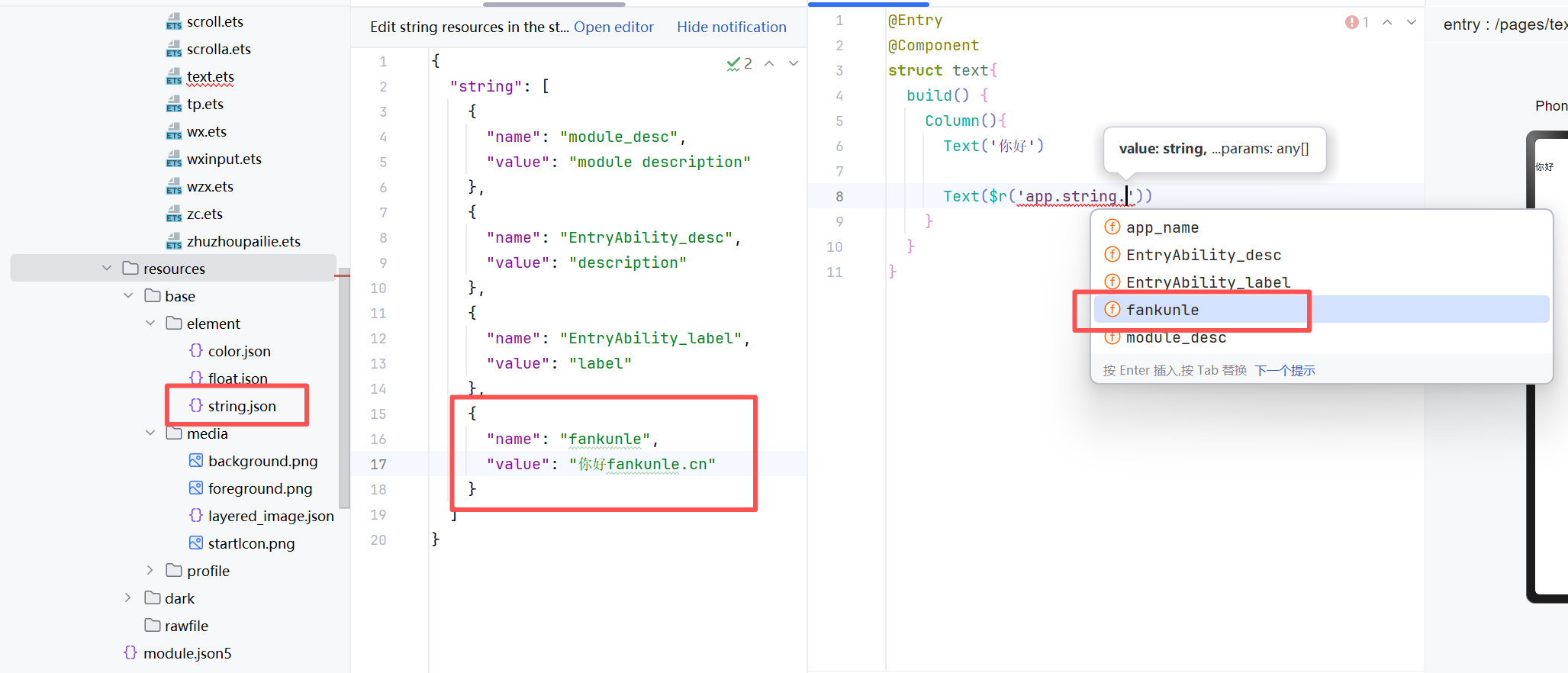
Text($r('app.string.fankunle'))
//引用的是项目目录下的 \entry\src\main\resources\base\element\string.json 中的name为fankunle的
添加子组件
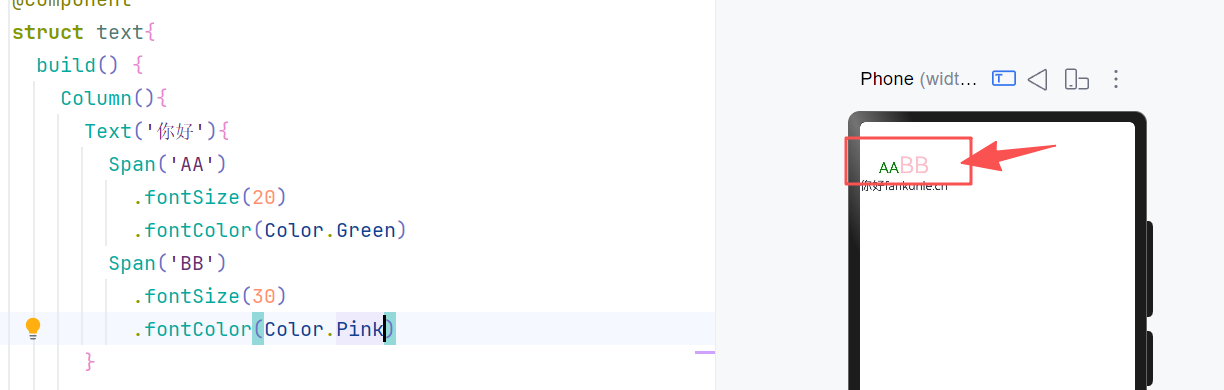
Span
只能作为text和RichEditor的子组件
//嵌套语法
Text('你好'){
  Span('哈哈')
}
span优势在于可以分别去控制
Decoration-文本线
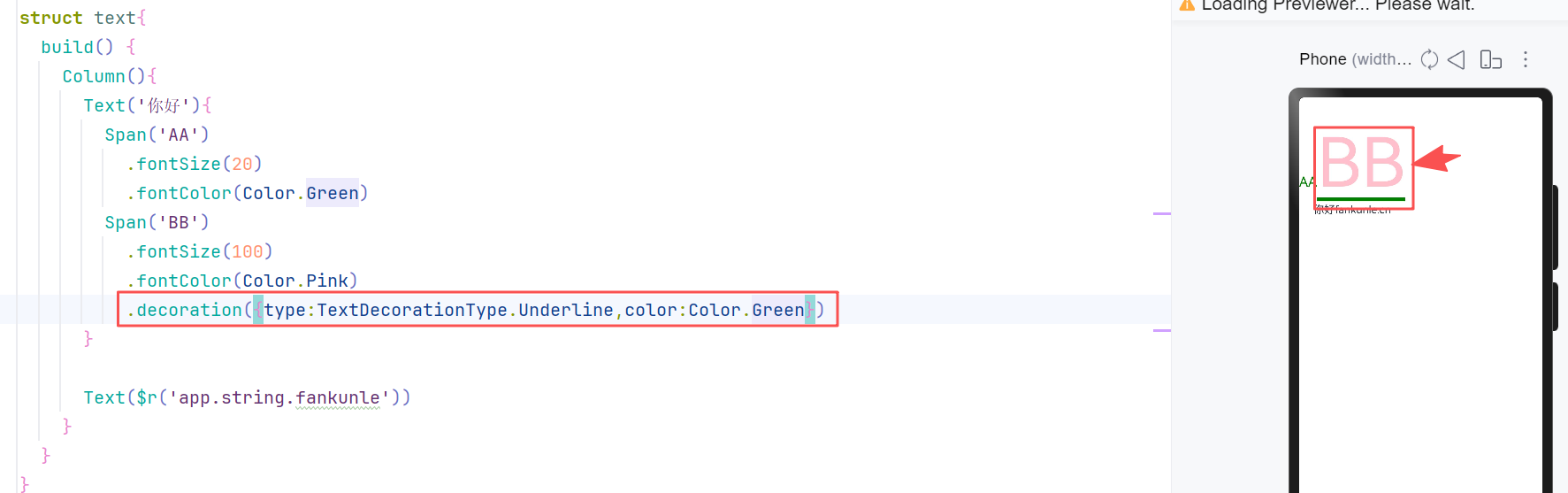
该效果为文本下方绿色
.decoration({type:TextDecorationType.Underline,color:Color.Green})textcase
textcase可以实现文本内容的大小写控制
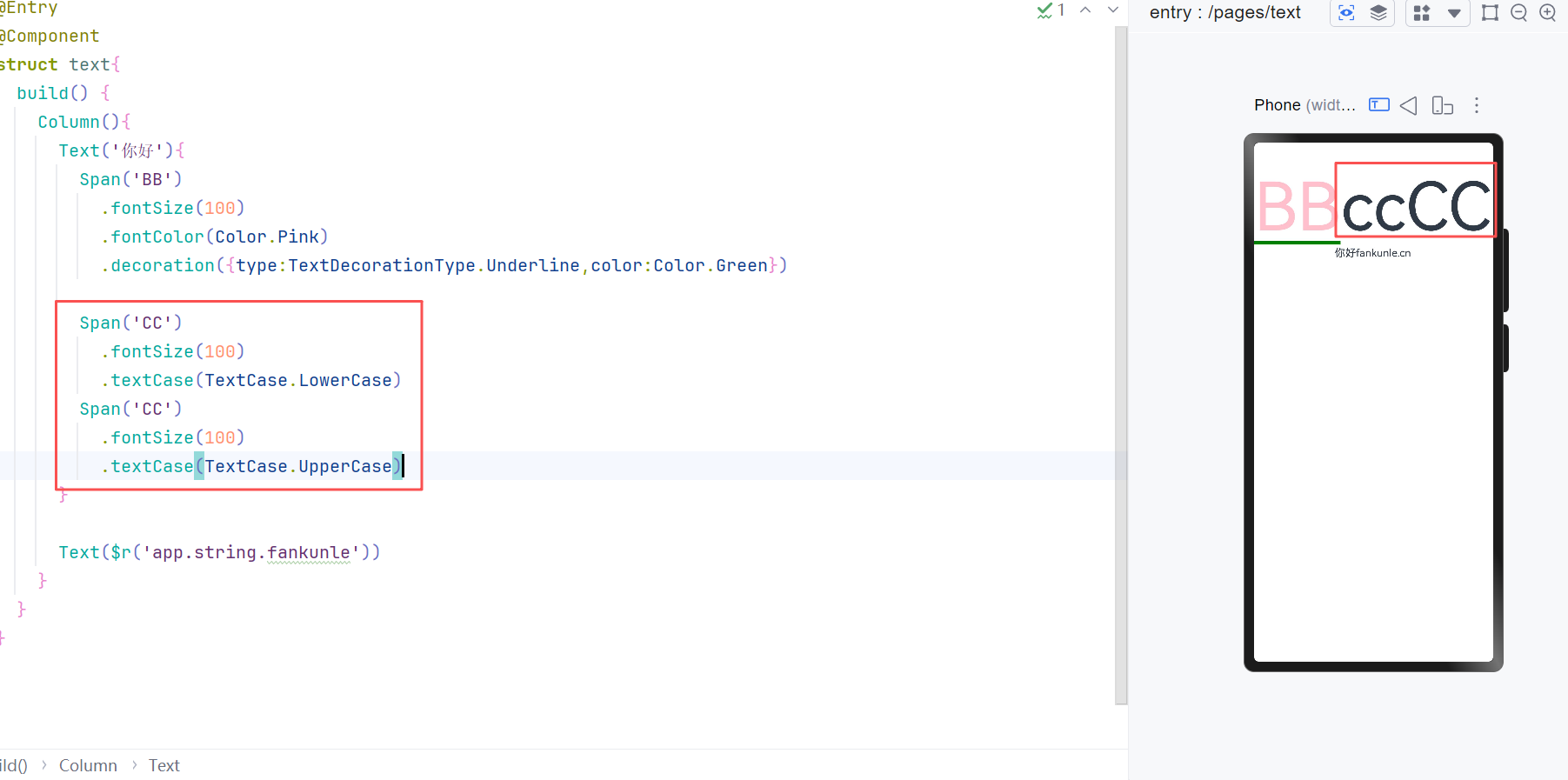
Span('CC')
  .fontSize(100)
  .textCase(TextCase.LowerCase) //小写
Span('CC')
  .fontSize(100)
  .textCase(TextCase.UpperCase) //大写
onclick
onclick是单击事件