
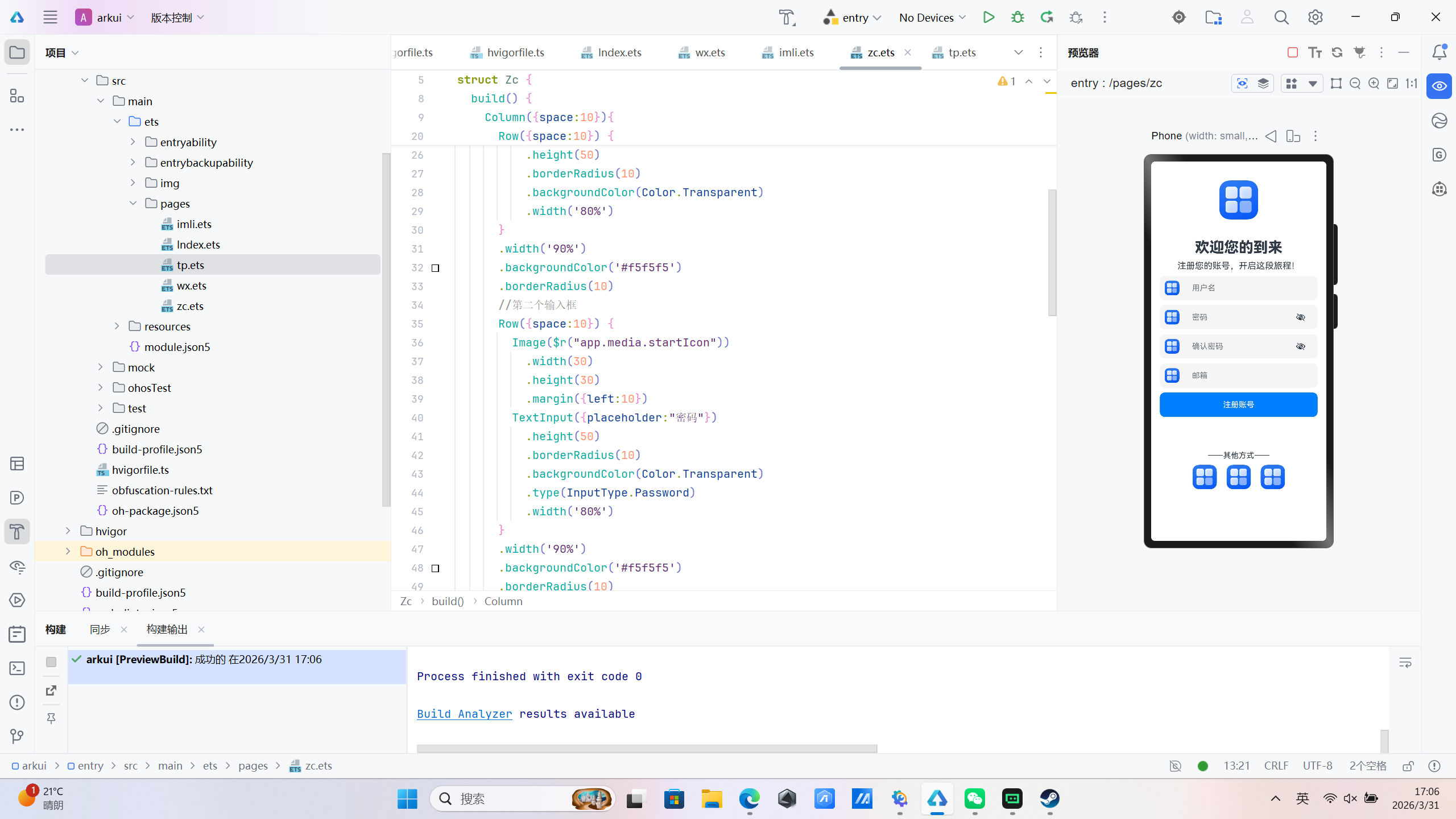
arkui课上练习-布局
Column-垂直
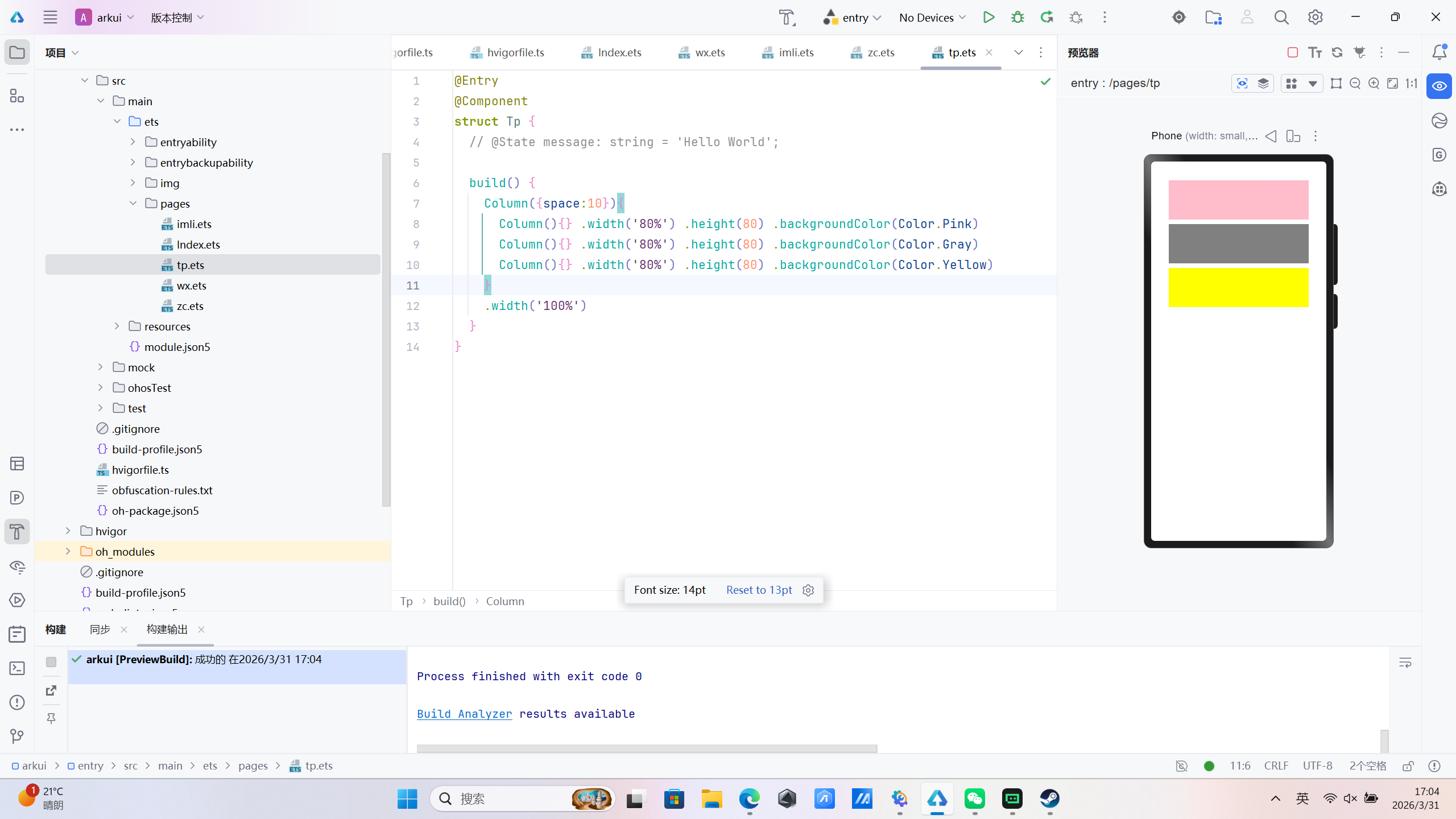
row-左右
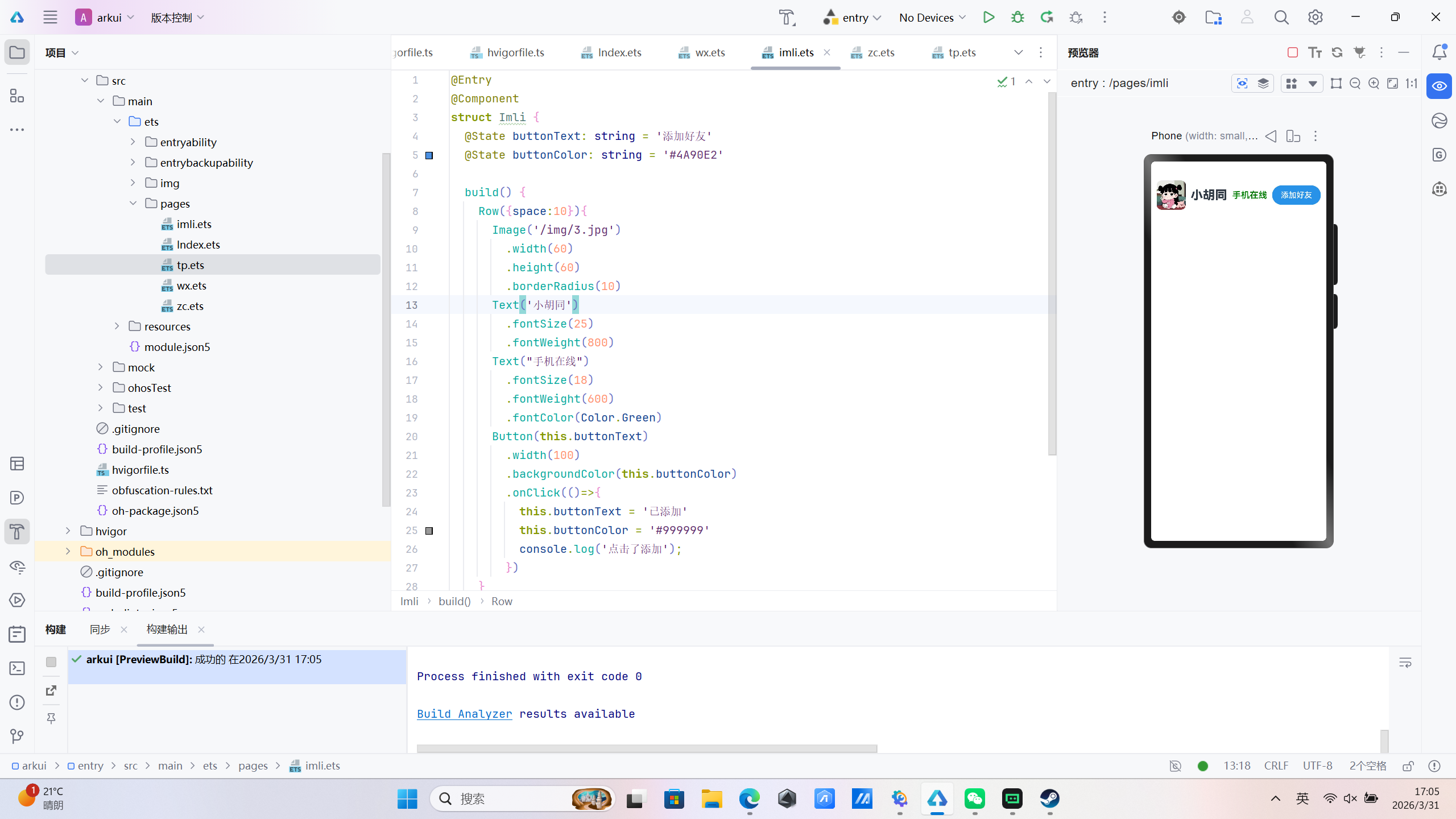
综合练习-注册页
import App from '@system.app';

@Entry
@Component
struct Zc {
  @State message: string = 'Hello World';

  build() {
    Column({space:10}){
      Image($r("app.media.startIcon"))
        .width(80)
        .height(80)
      Text('欢迎您的到来')
        .fontSize(30)
        .fontWeight(800)
        .margin({top:30})
      Text('注册您的账号,开启这段旅程!')
        .fontSize(18)
        .fontWeight(400)
      Row({space:10}) {
        Image($r("app.media.startIcon"))
          .width(30)
          .height(30)
          .margin({left:10})
        TextInput({placeholder:"用户名"})
          .height(50)
          .borderRadius(10)
          .backgroundColor(Color.Transparent)
          .width('80%')
      }
      .width('90%')
      .backgroundColor('#f5f5f5')
      .borderRadius(10)
      //第二个输入框
      Row({space:10}) {
        Image($r("app.media.startIcon"))
          .width(30)
          .height(30)
          .margin({left:10})
        TextInput({placeholder:"密码"})
          .height(50)
          .borderRadius(10)
          .backgroundColor(Color.Transparent)
          .type(InputType.Password)
          .width('80%')
      }
      .width('90%')
      .backgroundColor('#f5f5f5')
      .borderRadius(10)
      //第三个输入框
      Row({space:10}) {
        Image($r("app.media.startIcon"))
          .width(30)
          .height(30)
          .margin({left:10})
        TextInput({placeholder:"确认密码"})
          .height(50)
          .borderRadius(10)
          .backgroundColor(Color.Transparent)
          .type(InputType.Password)
          .width('80%')
      }
      .width('90%')
      .backgroundColor('#f5f5f5')
      .borderRadius(10)
      //第四个输入框
      Row({space:10}) {
        Image($r("app.media.startIcon"))
          .width(30)
          .height(30)
          .margin({left:10})
        TextInput({placeholder:"邮箱"})
          .height(50)
          .borderRadius(10)
          .backgroundColor(Color.Transparent)
          .type(InputType.Email)
          .width('80%')
      }
      .width('90%')
      .backgroundColor('#f5f5f5')
      .borderRadius(10)
      Button('注册账号')
        .width('90%')
        .height(50)
        .borderRadius(10)
      Text('——其他方式——')
        .margin({top:60})
      Row({space:20}){
        Image($r("app.media.startIcon"))
          .width(50)
          .height(50)
        Image($r("app.media.startIcon"))
          .width(50)
          .height(50)
        Image($r("app.media.startIcon"))
          .width(50)
          .height(50)
      }
    }
    .width('100%')
    .justifyContent(FlexAlign.Center)
  }
}